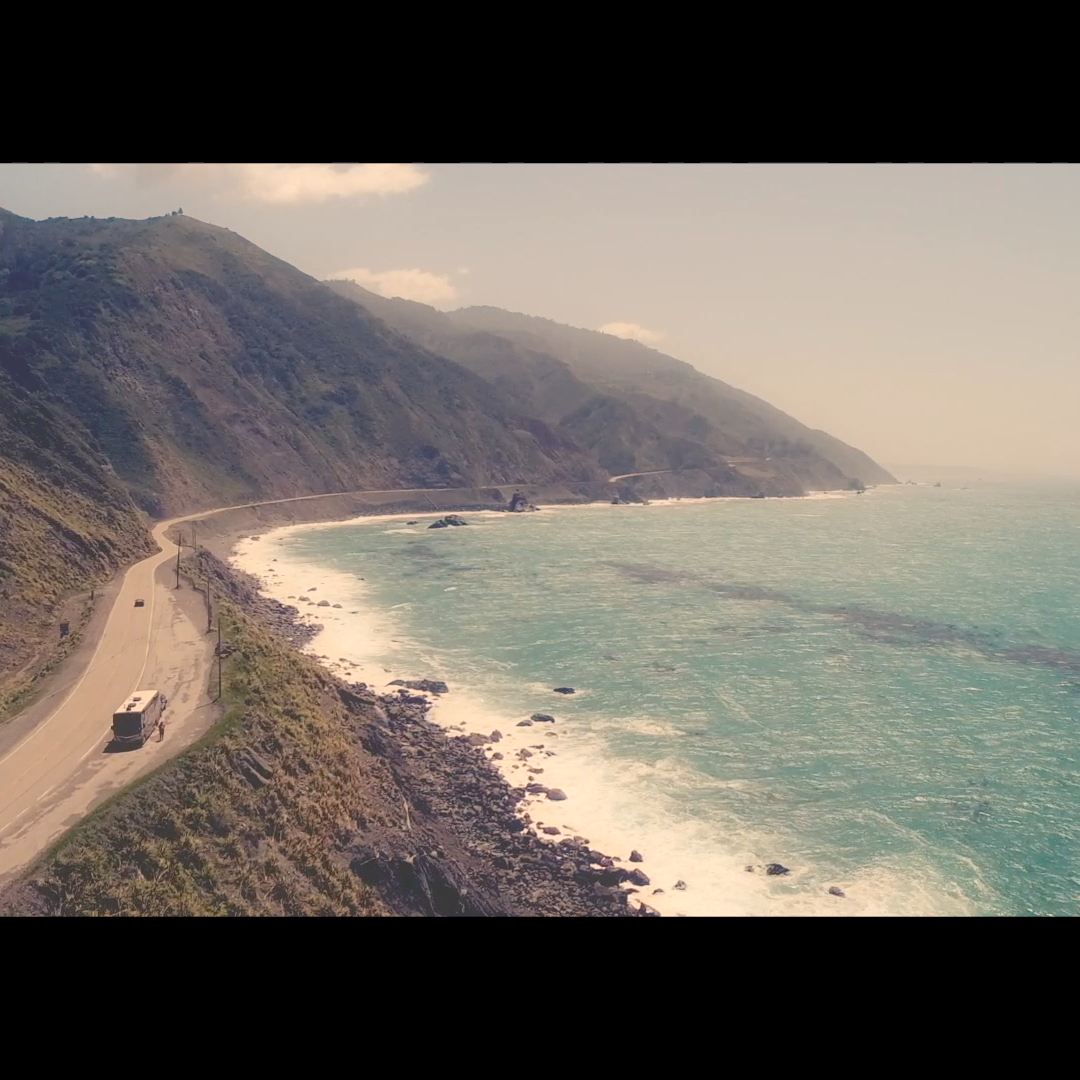
Widescreen 2 plugin demo video for Final Cut Pro
Widescreen 2 for Final Cut Pro: aerial view of a coastal highway with black widescreen bars above and below

Widescreen 2
for Final Cut Pro

Regular price $20.00
/
Digital download. No shipping.
  • 30-day money-back guarantee
  • Pay once, yours forever
  • Install on up to 5 Macs
  • Pay with Apple Pay

Listed by Apple

FCPeffects appears in Apple's Final Cut Pro developer directory.

View on Apple.com ↗ (opens in a new tab)

Buy one, get one free on every plugin

Want all of our plugins?

All of our plugins (over 80) for $80, about $1 each, and this one's included.

Upgrade to the MEGA BUNDLE

Widescreen 2 adds cinematic letterbox and pillarbox bars in Final Cut Pro, in over 25 aspect ratios, with more freedom to reframe your shots.

On-screen reframing, custom animated bars, framing guides and quick color controls, on one layer that covers many clips.

Works with the current versions of Final Cut Pro and macOS, on Intel Macs and natively on Apple silicon. Pay once, yours forever; past customers get updates. Every order has a 30-day money-back guarantee.

Widescreen 2 is also in the MEGA BUNDLE: all of our plugins (over 80), a $1,600+ value, for $80.

BUY ONE, GET ONE FREE

Every second plugin is free, applied automatically at checkout.


DemoWidescreen 2 in action

Cinematic letterbox and aspect ratio plugin for Final Cut Pro

Overview

Widescreen 2 is a Final Cut Pro plugin that adds cinematic letterbox or pillarbox bars in over 25 preset aspect ratios, and gives you more freedom to reframe your shots.

It is a title layer, so you can drop one copy above several clips and adjust them all at once. Pick an aspect ratio, or set custom bars and keyframe them to animate.

Reframe with the on-screen controls or with the Vertical.Reframe and Horizontal.Reframe controls. With letterbox ratios you can move the shot up or down without scaling it, because the bars do the cropping. A red warning layer shows if you move too far.

Dynamic guide lines help with framing, and quick color controls let you sharpen, adjust brightness and contrast, color balance, desaturate, add sepia or tint.

Features
  • Over 25 aspect ratios: letterbox ratios like 1.85, 2.35, 2.39 and 2.76, plus pillarbox ratios below 16:9.
  • Custom bars: set the top/bottom and left/right bars yourself, and keyframe them to animate.
  • On-screen controls: reframe the position, scale and rotation of your clip in the viewer.
  • Framing guides: dynamic guide lines with color, width and opacity, plus a background warning layer.
  • Quick color: sharpen, brightness, contrast, color balance, desaturate, sepia and tint.
  • One layer, many clips: it is a title, so one copy covers every clip beneath it.
How to use
  1. Use a 16:9 project (1280x720, 1920x1080, 3840x2160 and so on). Your clips can be any shape.
  2. In the Titles browser sidebar, click My FCPeffects, then drag Widescreen 2 above the clips you want to adjust (above any other titles).
  3. Select it and choose a Preset.Aspect.Ratio in the Inspector (Command-4).
  4. Reframe with the on-screen controls, or with Vertical.Reframe and Horizontal.Reframe.
  5. Turn on Guide.Lines while you frame, then set them back to None before you export.
Requirements
  • Your project needs to be 16:9. Clips of other shapes are fine.
  • Works with all versions of Final Cut Pro from the last 5+ years, including Final Cut Pro 11 and the current Final Cut Pro 12
  • Works with the current versions of macOS
  • Runs on Intel Macs and natively on Apple silicon (M1 and later)
  • No Apple Motion needed
  • Works with every resolution Final Cut Pro supports, including 4K and 8K
  • Install on any Mac you own that’s signed in to the same Apple account (Apple allows up to 5 Macs)
FAQ

Can one copy cover several clips?

Yes. Widescreen 2 is a title, so drag it above all the clips you want and stretch it across them.

Can I animate the bars?

Yes. Turn on Custom.Bars and keyframe Custom.Top.Bottom or Custom.Left.Right.

Will the guide lines show up in my export?

Yes, if they are still on. Set Guide.Lines back to None before you export.

Does it work in vertical or square projects?

It is built for 16:9 projects. The clips inside can be any shape.

Is Widescreen 2 part of the MEGA BUNDLE?

Yes. It's in the MEGA BUNDLE: all of our plugins (over 80), a $1,600+ value, for $80.

Is there a deal on individual plugins?

Yes. Buy one, get one free on every plugin, applied automatically.

How do I install it?

Instant download. Just double-click the installer. It only takes a couple minutes.

What if it isn't right for my project?

Every order is covered by our 30-day money-back guarantee.

Widescreen 2

$20 · Instant download · 30-day money-back guarantee

Aspect ratio examples

Ultra-wide letterbox on a coastal scene
Cinematic bars with black edges
Widescreen crop on a coastal road
Choose from over 25 aspect ratios
Adjust position, scale and rotation
Letterboxed beach scene

30-day money-back guarantee

Not happy? Just contact us for a full refund.

Instant downloadSecure checkout

Widescreen 2

Cinematic letterbox and aspect ratio plugin for Final Cut Pro. Instant download.

Apple Pay Shop Pay PayPalVisa Mastercard American Express Google Pay Amazon Discover

BUY ONE, GET ONE FREE

Every second plugin is free, applied automatically at checkout.